

Overview
Loading screens are essential to inform the user that a process is happening in the background of the app. It can be shown when the app is loading or when an action is selected such as a button is clicked.
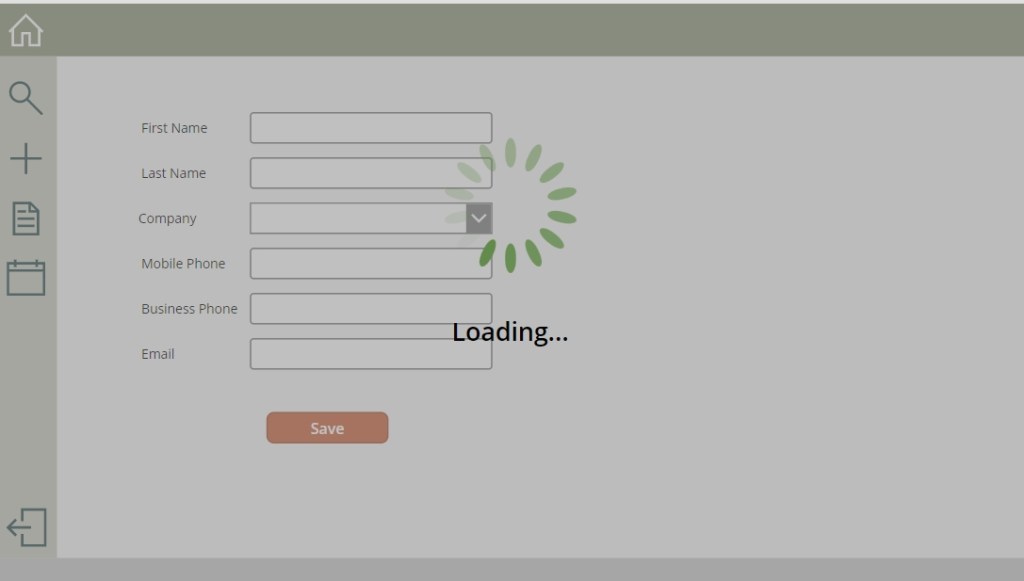
Creating a loading screen is simple and only requires 3 components: a rectangle for a background, a spinner image, and loading text.
YouTube
Components
Rectangle
Add a rectangle that fits the width and height of the screen. Change the Fill property to RGBA(128, 128, 128, .5). This will provide a semi-transparent background for the loading screen that will be noticeable to users.
Spinner Image
There are many sites that allow you to design and download a spinner image for free, a quick search will provide you a variety of options. In the following example, I used svg format.

Once you have your design in hand, add an image to the screen and reference the spinner image.
Center the image horizontally and vertically on the screen.
Loading Text
Add a label to the screen underneath the spinner and add desired text ex) Loading…
Here is what the loading screen should look like.
Visibility
Create a global variable that is set to true when the loading screen should be displayed, and set to false when it should be hidden. This can be done during OnStart of the app or during actions being performed such as button clicks.
Set(displayLoadingScreen, true);

Set(displayLoadingScreen, false);

Loading Description Label
If you want to provide more context on what’s happening with the app, you can use a global variable for the loading label. This is also beneficial for troubleshooting if certain processes are taking long.
Set(loadingScreenLabel, “Updating Contact…”);

In the example below, a button is selected and the loading screen is displayed. The loading description label is updated before each mock process is run.
