
Audit Viewer streamlines how you view and manage Dynamics 365 / Power Apps audit history—directly from the main form. No more navigating through multiple tabs or windows to find the data you need.
Seamless Access: Instantly view audit records on the main form without leaving your workspace.
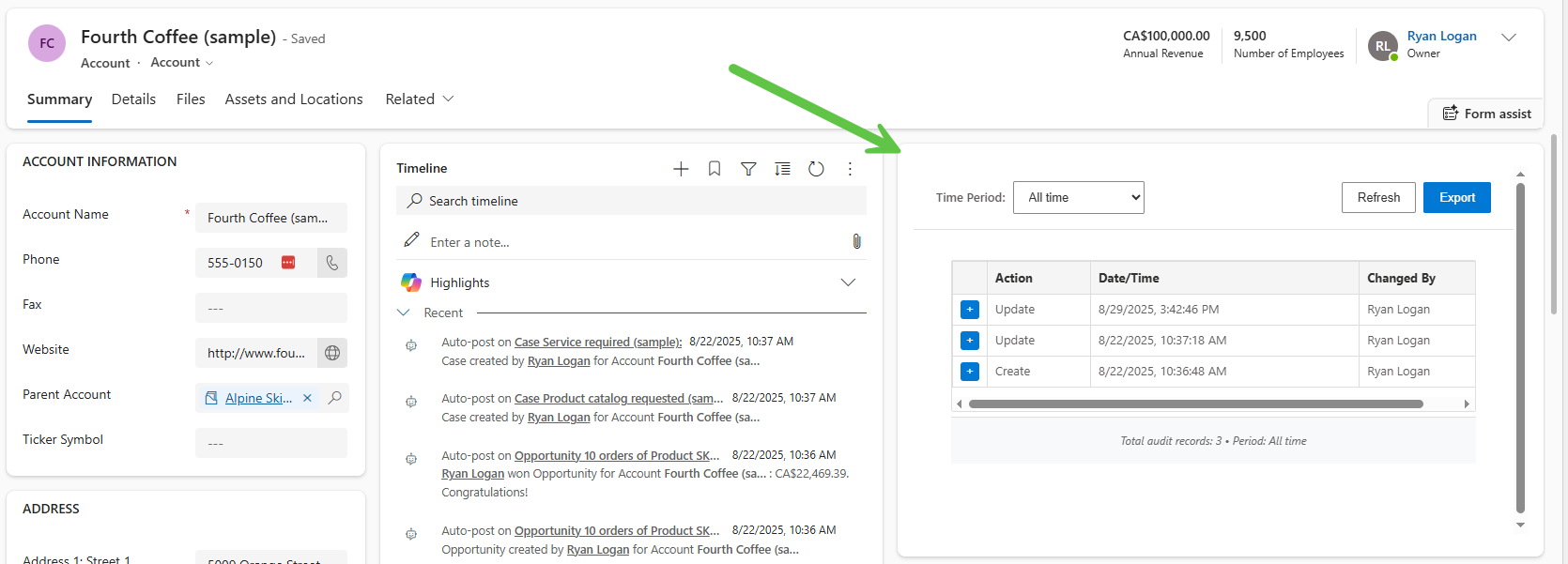
Compact Design - Fits neatly into a single column, keeping your form layout clean and user-friendly.
Expandable Attribute View - Expand and collapse to quickly dive into audit details or keep your form uncluttered.
Lightweight & Easy Deployment - Add it to forms with minimal configuration and no heavy customization.
Filtering - Apply simple time period filters to quickly narrow down activity.
CSV Export - Export audit history for deeper analysis, reporting, or offline review.
This tool empowers users to monitor record activity effortlessly, improving visibility, productivity, and compliance tracking.
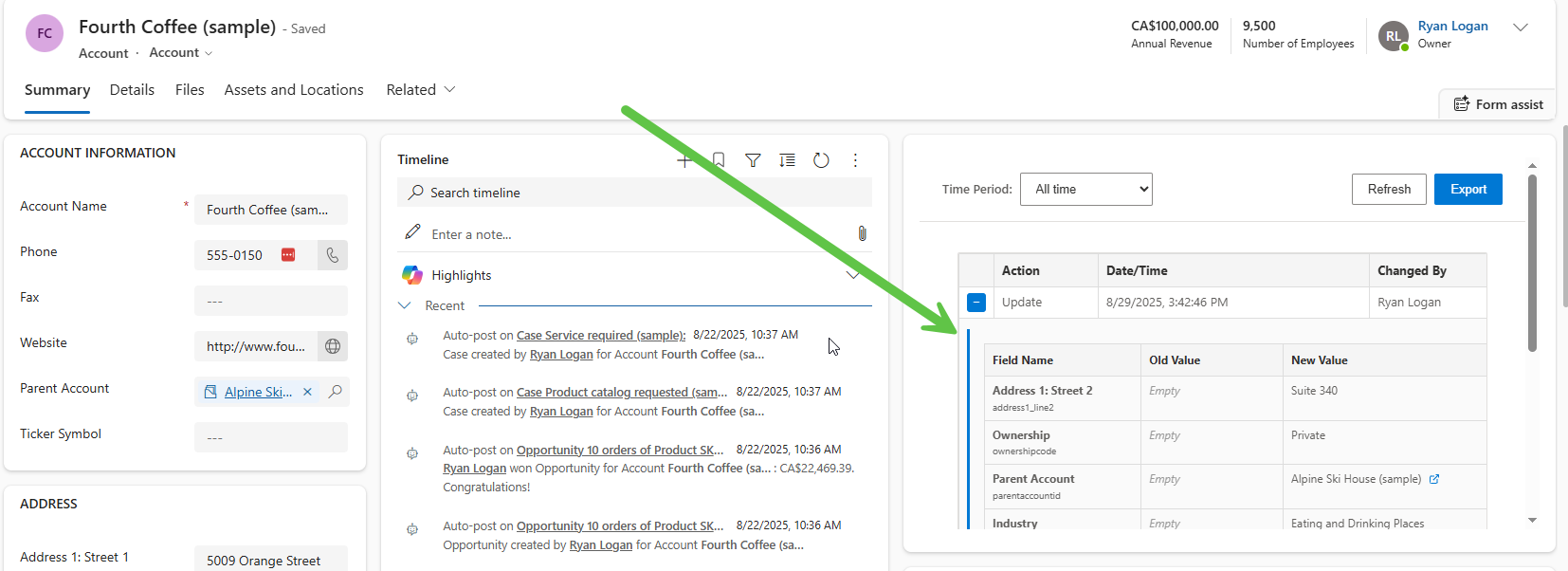
Audit Viewer is delivered as a web resource that can be positioned flexibly on your form. It is designed to fit neatly within a single column layout, with a recommended columns width of 35–45% and a height of 10 rows. This compact footprint ensures that the tool is visible without overwhelming the overall form design.
Administrators have full control over placement, allowing the tool to be positioned in the left, right, or middle column, or anchored toward the top or bottom of the form—depending on the desired user experience. This flexibility ensures it integrates seamlessly into existing layouts while maintaining easy access to audit data.
Audit Viewer includes a built-in export feature that allows users to generate a CSV file containing audit history for deeper review or reporting. The exported data is structured into three key sections for clarity:
Record Highlights – Core information about the record (e.g., record name, record id, entity).
Summary of Audit Changes – A high-level overview of what was action was performed, the data/time is occurred and who made the change.
Audit Details – A detailed breakdown of each audit entry, capturing date/time, user, operation performed, and related metadata.
This structured format ensures administrators, auditors, and business users can quickly analyze history, track changes, and maintain compliance in an organized way outside of Dynamics 365.

$125 . 00
/ month
$225 . 00
/ month
$300 . 00
/ month
$375 . 00
/ month
$475 . 00
/ month
All pricing is in US Dollars and reflects an annual commitment.
* Licensing is calculated based on the total number of Dynamics 365 and Power Apps users.